Free April Dues On All Memberships!
Use Code APR26 See details.
HOW TO REQUEST A MEMBERSHIP HOLD
STEP 1: LOGIN
Login to the National Fitness App on your smart device or Member Hub to make these changes.
STEP 1: LOGIN
Login to the National Fitness app or Member Hub to make these changes.
Need help downloading the app or logging in? Click here.
STEP 2: FOLLOW THESE INSTRUCTIONS
ONLY MAIN MEMBER & ACCOUNT MANAGERS CAN ACCESS AND MAKE THE FOLLOWING HOLD CHANGES.
I WANT TO REQUEST A MEMBERSHIP HOLD
|
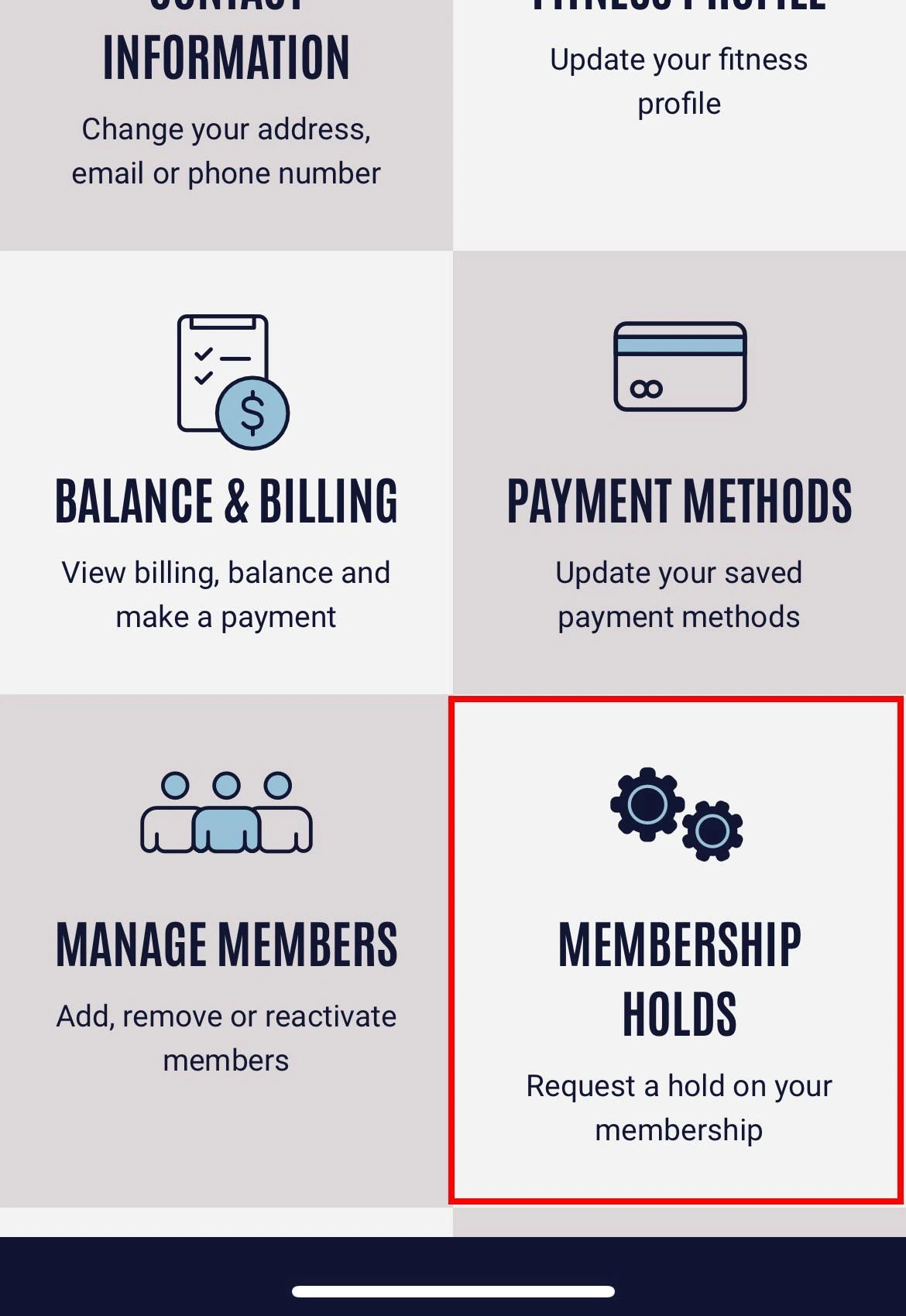
1. Tap menu in top-left and select Profile and then Manage Membership |
2. Select Place Membership on Hold |
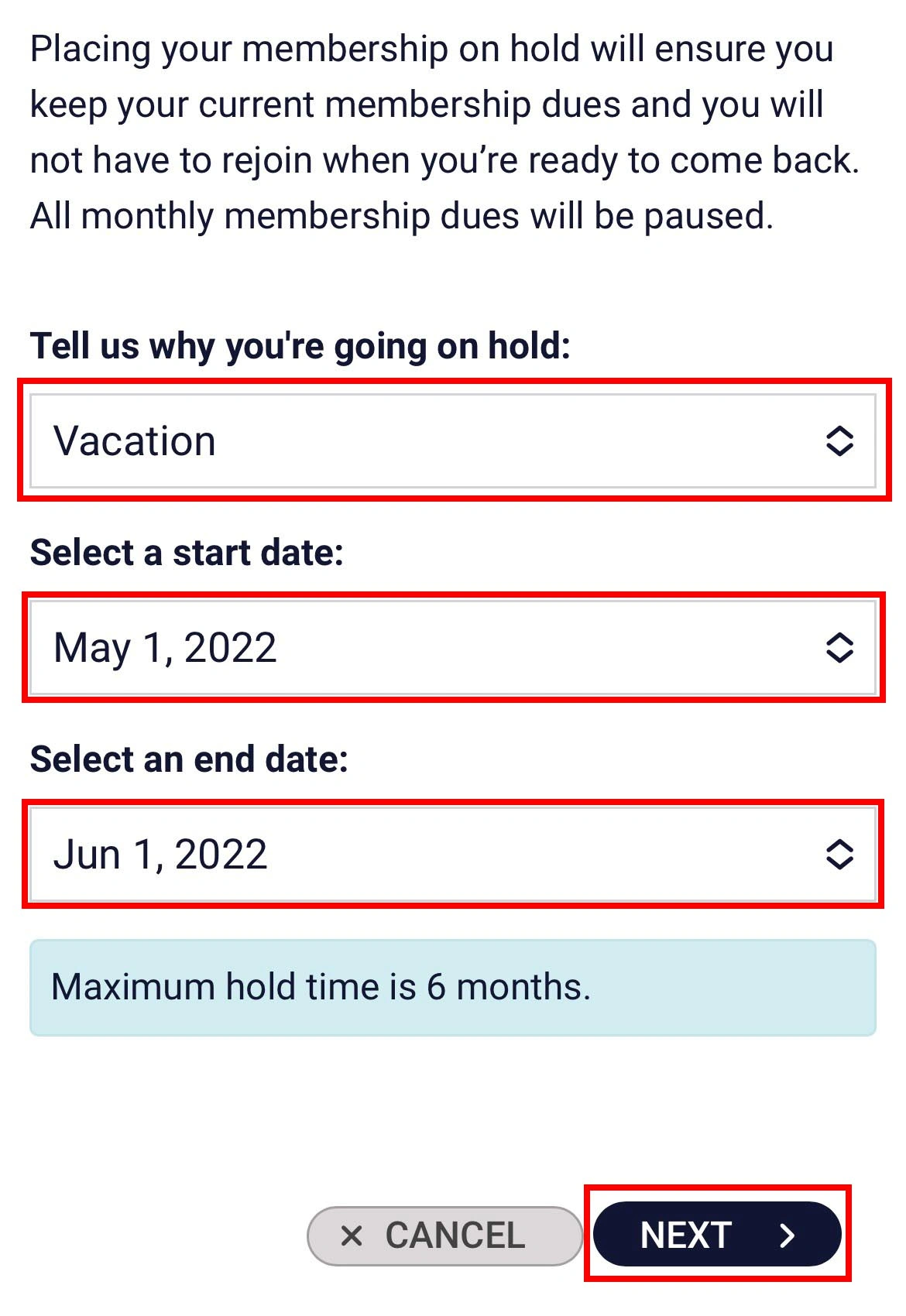
3. Select the reason for your Hold, dates you would like the hold to start and end, then select Next |
|
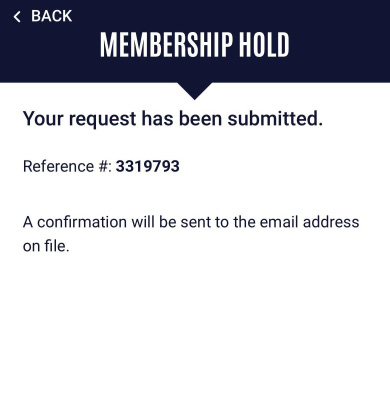
4. Review hold details, then select Process Hold Request |
I WANT TO MODIFY OR REMOVE AN ACCOUNT HOLD
- Tap menu in top-left and select Profile
- Select Membership Holds option
- Select Modify Existing Hold
- Select if you'd like to remove the Hold from your account or change your return date
- Review details, then select Process Request
- You will be given a confirmation number and an email will be sent to the address on file
I WANT TO PUT MY KIDS ON HOLD
- You can only put your entire membership on hold, not specific members. If you would like to remove a member from your membership, go to Profile > Manage Members in the In-Shape app or Member Hub and click the Remove next to the member you'd like to remove.
- Please note there is a $10 processing fee to remove and add members to a membership. (max fee is $10 per day)