Free April Dues On All Memberships!
Use Code APR26 See details.
HOW TO UPDATE YOUR CONTACT INFORMATION
STEP 1: LOGIN
Login to the National Fitness app or Member Hub to make these changes.
Need help downloading the app or logging in? Click here.
STEP 2: FOLLOW THESE INSTRUCTIONS
ONLY THE MAIN MEMBER ON THE ACCOUNT CAN ACCESS AND MAKE THE FOLLOWING CHANGES.
|
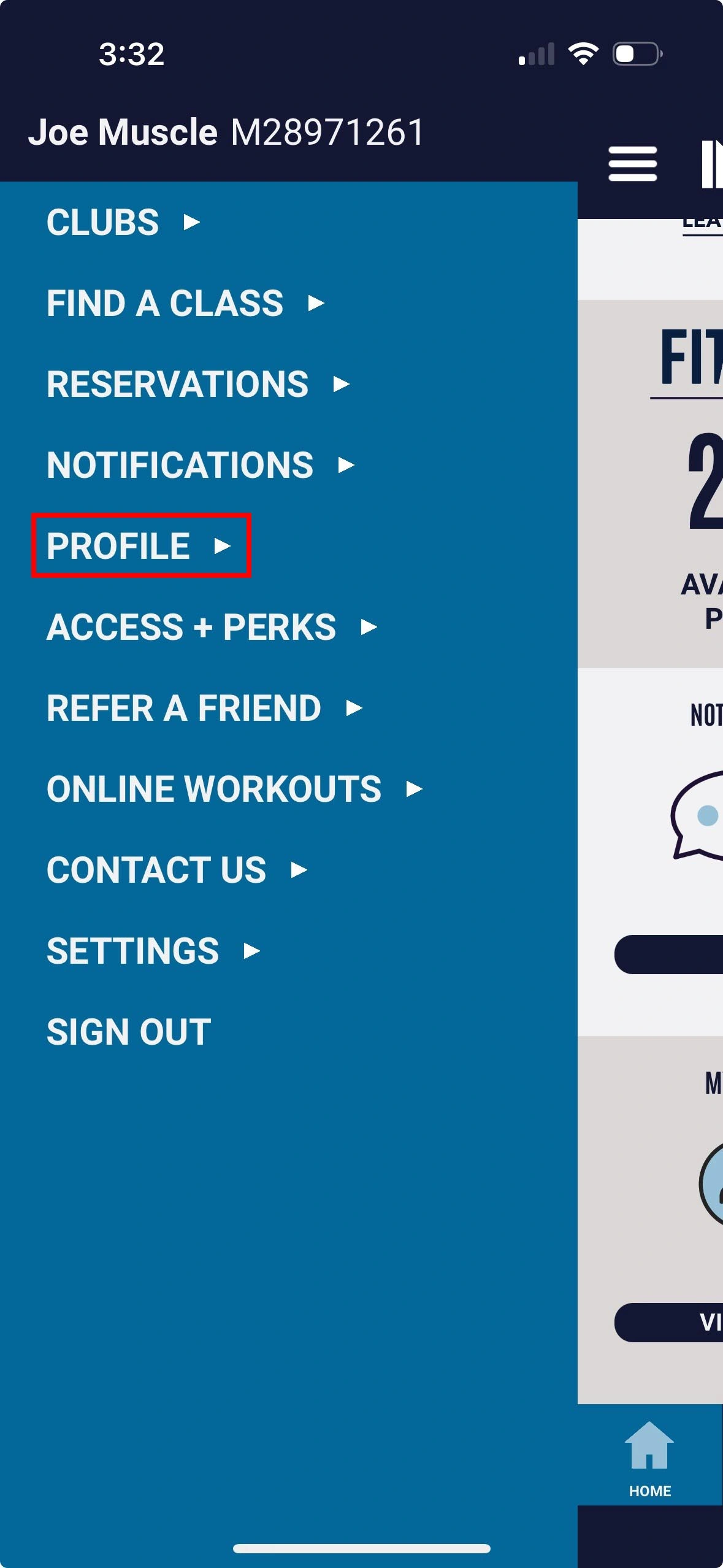
1. Select Profile |
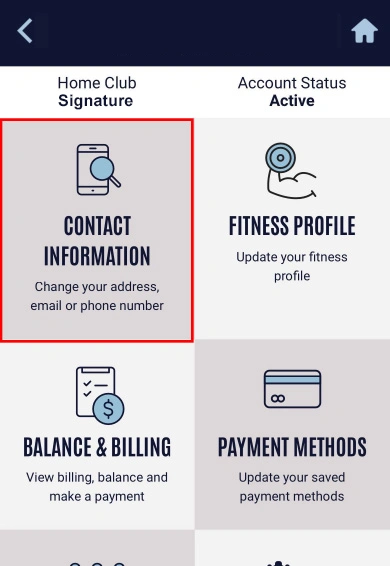
2. Select Contact Information option |
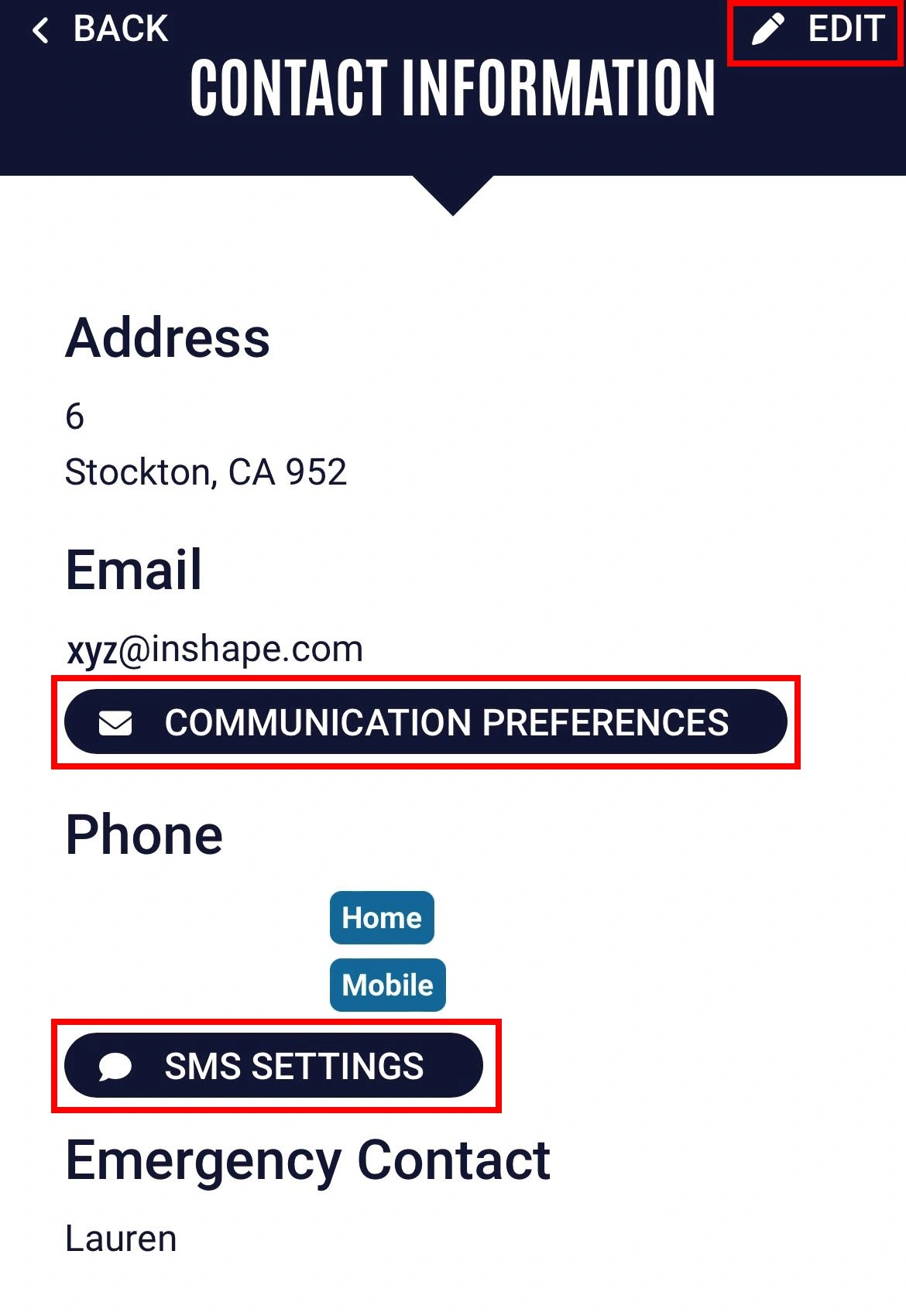
3. Tap Edit, Update the info, then tap Save |
ONLY THE MAIN MEMBER ON THE ACCOUNT CAN ACCESS AND MAKE THE FOLLOWING CHANGES.
The quickest way to update your payment method for monthly dues is through the National Fitness app or Member Hub by following these steps:
- Tap menu in top-left and select Profile
- Select Contact Information option
- Tap Edit, Communication Preferences or SMS Settings depending on what you'd like to update. Update the info, then tap Save