HOW TO UPDATE YOUR PAYMENT METHOD
STEP 2: FOLLOW THESE INSTRUCTIONS
STEP 1: LOGIN
The quickest way to update your payment method for monthly dues is through the National Fitness app or Member Hub by following these steps:
Need help downloading the app or logging in? Click here.
STEP 2: FOLLOW THESE INSTRUCTIONS
ONLY THE MAIN MEMBER ON THE ACCOUNT CAN ACCESS AND MAKE THE FOLLOWING CHANGES.
I WANT TO UPDATE MY PRIMARY METHOD FOR BILLING
|
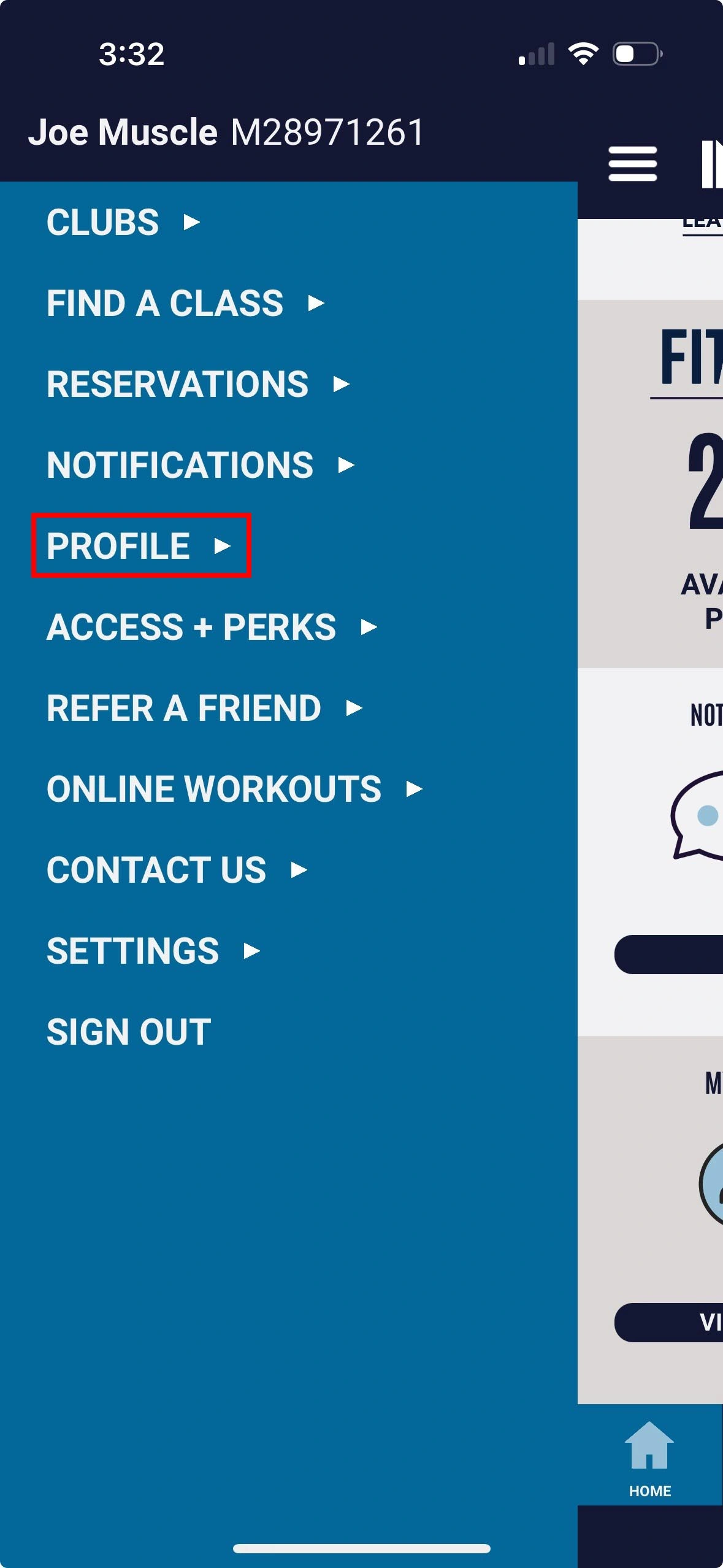
1. Tap menu in top-left and select Profile |
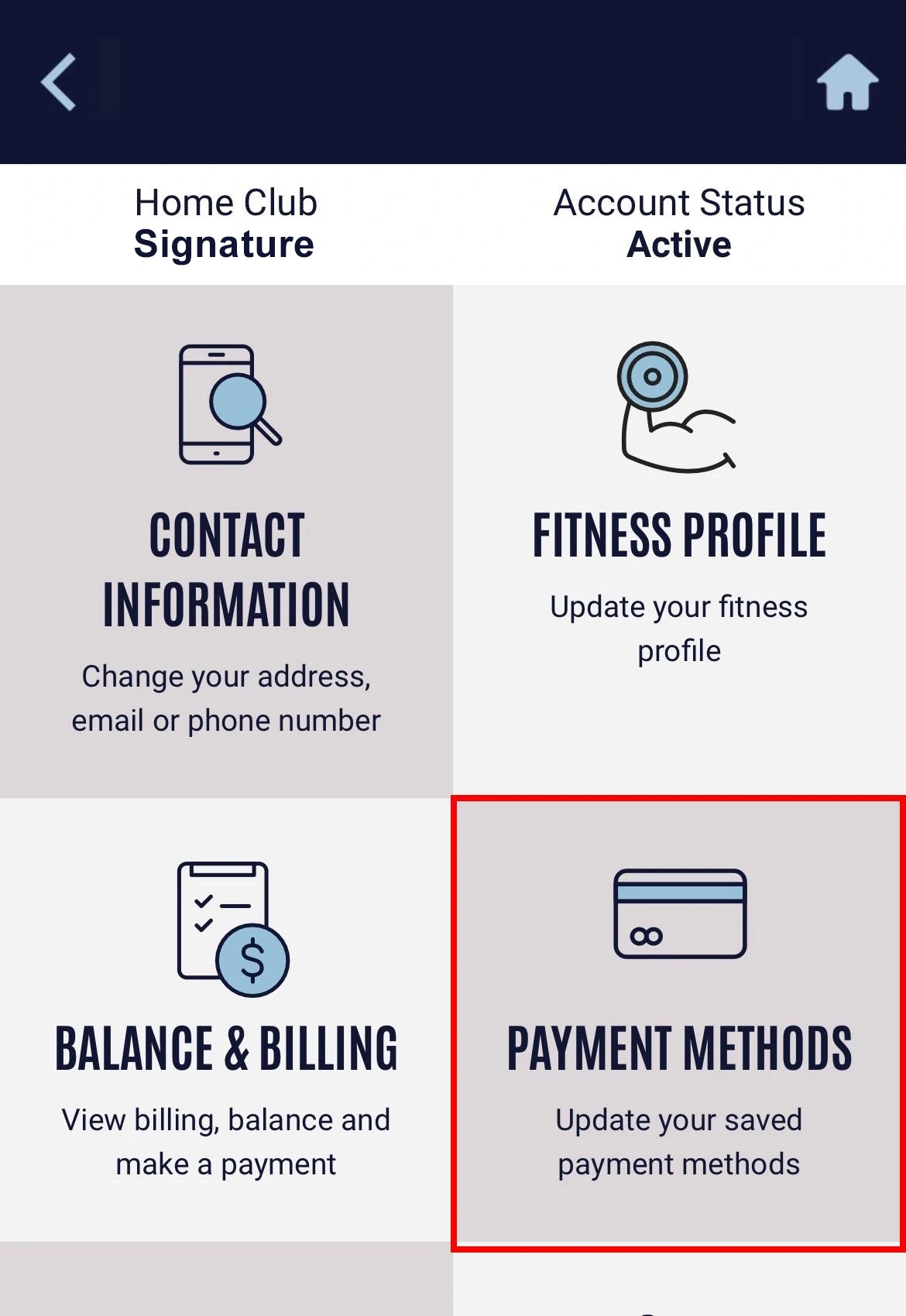
2. Tap the Payment Methods option |
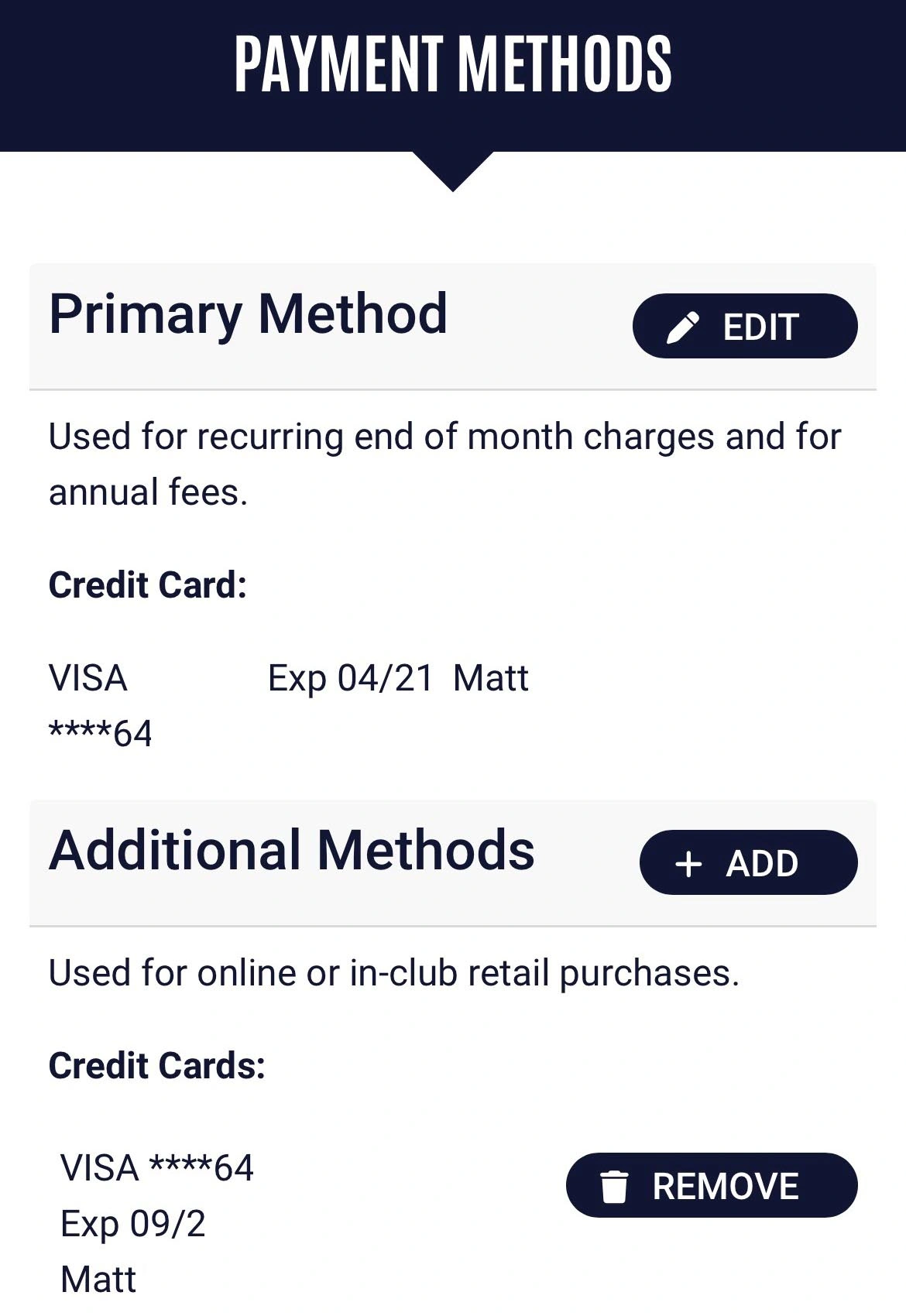
3. Select Edit next to Primary Method |
|
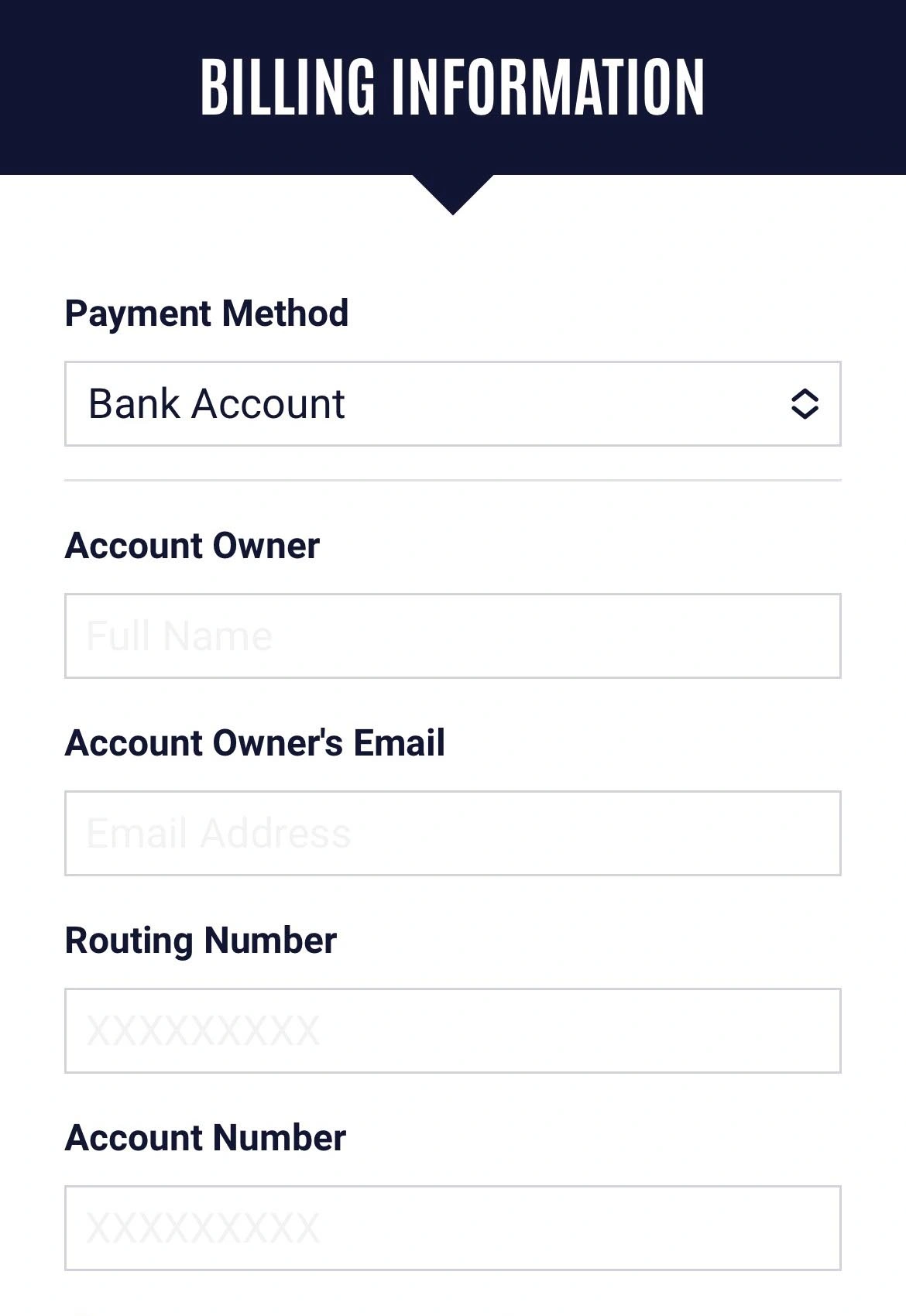
4. Enter your new payment method and tap Save |
I WANT TO ADD OR REMOVE MY PAYMENT METHOD FOR IN-CLUB AND ONLINE PURCHASES
|
1. Tap menu in top-left and select Profile |
2. Tap the Payment Methods option |
3. Select Add next to Additional Methods or Remove next to your existing card on file. |
|
4. Enter your new payment method and tap Save |
ONLY THE MAIN MEMBER ON THE ACCOUNT CAN ACCESS AND MAKE THE FOLLOWING CHANGES.
The quickest way to update your payment method for monthly dues is through the National Fitness app or Member Hub by following these steps:
- Tap menu in top-left and select Profile
- Tap the Payment Methods option
-
To update payment method for monthly dues & annual fee:
Select Edit next to Primary Method
3B. To update payment method for in-club or online purchases:
Select Add next to Additional Methods
- Enter your new payment method and tap Save